
[](https://github.com/peaceiris/actions-gh-pages/blob/main/LICENSE)
[](https://github.com/peaceiris/actions-gh-pages/releases/latest)
[](https://github.com/peaceiris/actions-gh-pages/releases)


[](https://www.codefactor.io/repository/github/peaceiris/actions-gh-pages)
> [!NOTE]
>
> See also the GitHub official GitHub Pages Action first.
>
> - [GitHub Pages now uses Actions by default | The GitHub Blog](https://github.blog/2022-08-10-github-pages-now-uses-actions-by-default/)
> - [GitHub Pages: Custom GitHub Actions Workflows (beta) | GitHub Changelog](https://github.blog/changelog/2022-07-27-github-pages-custom-github-actions-workflows-beta/)
This is a **GitHub Action** to deploy your static files to **GitHub Pages**.
This deploy action can be combined simply and freely with [Static Site Generators]. (Hugo, MkDocs, Gatsby, mdBook, Next, Nuxt, and so on.)
[Static Site Generators]: https://jamstack.org/generators/
The next example step will deploy `./public` directory to the remote `gh-pages` branch.
```yaml
- name: Deploy
uses: peaceiris/actions-gh-pages@v4
with:
github_token: ${{ secrets.GITHUB_TOKEN }}
publish_dir: ./public
```
For newbies of GitHub Actions:
Note that the `GITHUB_TOKEN` is **NOT** a personal access token.
A GitHub Actions runner automatically creates a `GITHUB_TOKEN` secret to authenticate in your workflow.
So, you can start to deploy immediately without any configuration.
## Supported Tokens
Three tokens are supported.
| Token | Private repo | Public repo | Protocol | Setup |
|---|:---:|:---:|---|---|
| `github_token` | ✅️ | ✅️ | HTTPS | Unnecessary |
| `deploy_key` | ✅️ | ✅️ | SSH | Necessary |
| `personal_token` | ✅️ | ✅️ | HTTPS | Necessary |
Notes: Actually, the `GITHUB_TOKEN` works for deploying to GitHub Pages but it has still some limitations.
For the first deployment, we need to select the `gh-pages` branch or another branch on the repository settings tab.
See [First Deployment with `GITHUB_TOKEN`](#%EF%B8%8F-first-deployment-with-github_token)
## Supported Platforms
All Actions runners: Linux (Ubuntu), macOS, and Windows are supported.
| runs-on | `github_token` | `deploy_key` | `personal_token` |
|---|:---:|:---:|:---:|
| ubuntu-22.04 | ✅️ | ✅️ | ✅️ |
| ubuntu-20.04 | ✅️ | ✅️ | ✅️ |
| ubuntu-latest | ✅️ | ✅️ | ✅️ |
| macos-latest | ✅️ | ✅️ | ✅️ |
| windows-latest | ✅️ | (2) | ✅️ |
2. WIP, See [Issue #87](https://github.com/peaceiris/actions-gh-pages/issues/87)
## GitHub Enterprise Server Support
✅️ GitHub Enterprise Server is supported above `2.22.6`.
Note that the `GITHUB_TOKEN` that is created by the runner might not inherently have push/publish privileges on GHES. You might need to create/request a technical user with write permissions to your target repository.
## Table of Contents
- [Getting started](#getting-started)
- [Options](#options)
- [⭐️ Set Runner's Access Token `github_token`](#%EF%B8%8F-set-runners-access-token-github_token)
- [⭐️ Set SSH Private Key `deploy_key`](#%EF%B8%8F-set-ssh-private-key-deploy_key)
- [⭐️ Set Personal Access Token `personal_token`](#%EF%B8%8F-set-personal-access-token-personal_token)
- [⭐️ Set Another GitHub Pages Branch `publish_branch`](#%EF%B8%8F-set-another-github-pages-branch-publish_branch)
- [⭐️ Source Directory `publish_dir`](#%EF%B8%8F-source-directory-publish_dir)
- [⭐️ Deploy to Subdirectory `destination_dir`](#%EF%B8%8F-deploy-to-subdirectory-destination_dir)
- [⭐️ Filter publishing assets `exclude_assets`](#%EF%B8%8F-filter-publishing-assets-exclude_assets)
- [⭐️ Add CNAME file `cname`](#%EF%B8%8F-add-cname-file-cname)
- [⭐️ Enable Built-in Jekyll `enable_jekyll`](#%EF%B8%8F-enable-built-in-jekyll-enable_jekyll)
- [⭐️ Allow empty commits `allow_empty_commit`](#%EF%B8%8F-allow-empty-commits-allow_empty_commit)
- [⭐️ Keeping existing files `keep_files`](#%EF%B8%8F-keeping-existing-files-keep_files)
- [⭐️ Deploy to external repository `external_repository`](#%EF%B8%8F-deploy-to-external-repository-external_repository)
- [⭐️ Force orphan `force_orphan`](#%EF%B8%8F-force-orphan-force_orphan)
- [⭐️ Set Git username and email](#%EF%B8%8F-set-git-username-and-email)
- [⭐️ Set custom commit message](#%EF%B8%8F-set-custom-commit-message)
- [⭐️ Create Git tag](#%EF%B8%8F-create-git-tag)
- [Tips and FAQ](#tips-and-faq)
- [⭐️ Create SSH Deploy Key](#%EF%B8%8F-create-ssh-deploy-key)
- [⭐️ First Deployment with `GITHUB_TOKEN`](#%EF%B8%8F-first-deployment-with-github_token)
- [⭐️ Use the latest and specific release](#%EF%B8%8F-use-the-latest-and-specific-release)
- [⭐️ Schedule and Manual Deployment](#%EF%B8%8F-schedule-and-manual-deployment)
- [⭐️ Release Strategy](#%EF%B8%8F-release-strategy)
- [Examples](#examples)
- [⭐️ Static Site Generators with Node.js](#%EF%B8%8F-static-site-generators-with-nodejs)
- [⭐️ Gatsby](#%EF%B8%8F-gatsby)
- [⭐️ React and Next](#%EF%B8%8F-react-and-next)
- [⭐️ Vue and Nuxt](#%EF%B8%8F-vue-and-nuxt)
- [⭐️ Docusaurus](#%EF%B8%8F-docusaurus)
- [⭐️ Static Site Generators with Python](#%EF%B8%8F-static-site-generators-with-python)
- [⭐️ mdBook (Rust)](#%EF%B8%8F-mdbook-rust)
- [⭐️ Flutter Web](#%EF%B8%8F-flutter-web)
- [⭐️ Elm](#%EF%B8%8F-elm)
- [⭐️ Swift Publish](#%EF%B8%8F-swift-publish)
- [License](#license)
- [Maintainer](#maintainer)
## Getting started
Add your workflow file `.github/workflows/gh-pages.yml` and push it to your remote default branch.
Here is an example workflow for Hugo.
- [peaceiris/actions-hugo: GitHub Actions for Hugo](https://github.com/peaceiris/actions-hugo)
[](https://github.com/peaceiris/actions-hugo)
```yaml
name: GitHub Pages
on:
push:
branches:
- main # Set a branch name to trigger deployment
pull_request:
jobs:
deploy:
runs-on: ubuntu-22.04
permissions:
contents: write
concurrency:
group: ${{ github.workflow }}-${{ github.ref }}
steps:
- uses: actions/checkout@v3
with:
submodules: true # Fetch Hugo themes (true OR recursive)
fetch-depth: 0 # Fetch all history for .GitInfo and .Lastmod
- name: Setup Hugo
uses: peaceiris/actions-hugo@v2
with:
hugo-version: '0.110.0'
- name: Build
run: hugo --minify
- name: Deploy
uses: peaceiris/actions-gh-pages@v4
# If you're changing the branch from main,
# also change the `main` in `refs/heads/main`
# below accordingly.
if: github.ref == 'refs/heads/main'
with:
github_token: ${{ secrets.GITHUB_TOKEN }}
publish_dir: ./public
```
| Actions log overview | GitHub Pages log |
|---|---|
|  |  |
 ### ⭐️ Set custom commit message
Set a custom commit message.
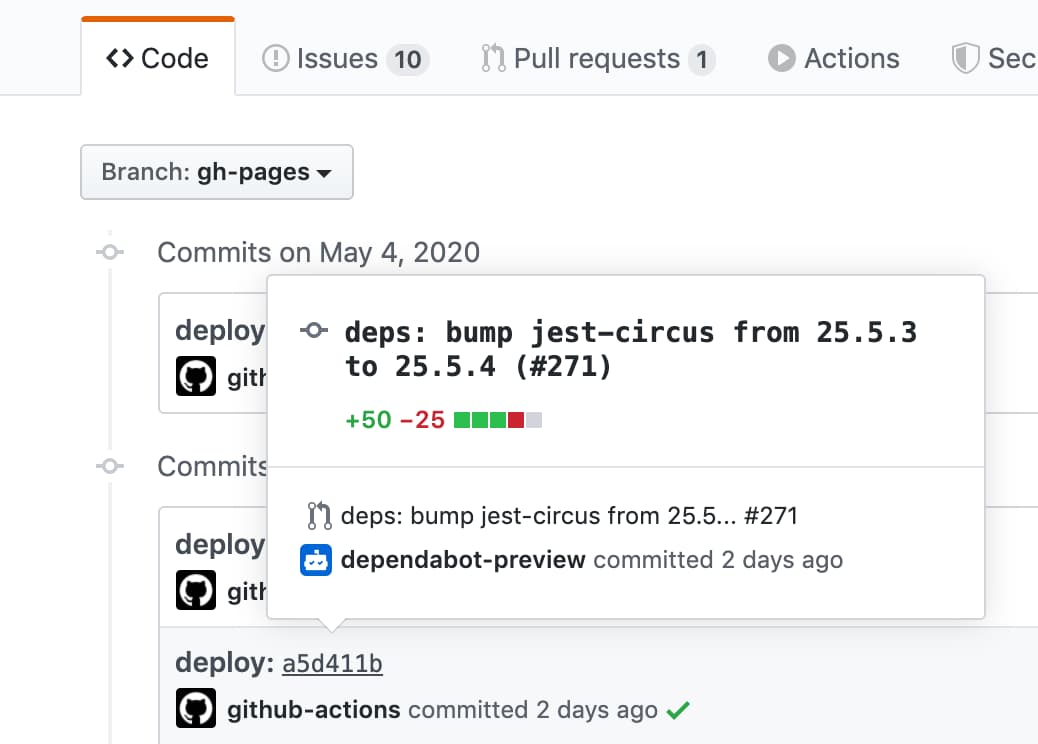
When we create a commit with a message `docs: Update some post`, a deployment commit will be generated with a message `docs: Update some post ${GITHUB_SHA}`.
```yaml
- name: Deploy
uses: peaceiris/actions-gh-pages@v4
with:
github_token: ${{ secrets.GITHUB_TOKEN }}
publish_dir: ./public
commit_message: ${{ github.event.head_commit.message }}
```
### ⭐️ Set custom commit message
Set a custom commit message.
When we create a commit with a message `docs: Update some post`, a deployment commit will be generated with a message `docs: Update some post ${GITHUB_SHA}`.
```yaml
- name: Deploy
uses: peaceiris/actions-gh-pages@v4
with:
github_token: ${{ secrets.GITHUB_TOKEN }}
publish_dir: ./public
commit_message: ${{ github.event.head_commit.message }}
```
 To set a full custom commit message without a triggered commit hash,
use the `full_commit_message` option instead of the `commit_message` option.
```yaml
- name: Deploy
uses: peaceiris/actions-gh-pages@v4
with:
github_token: ${{ secrets.GITHUB_TOKEN }}
publish_dir: ./public
full_commit_message: ${{ github.event.head_commit.message }}
```
### ⭐️ Create Git tag
Here is an example workflow.
```yaml
name: GitHub Pages
on:
push:
branches:
- main
tags:
- 'v*.*.*'
jobs:
deploy:
runs-on: ubuntu-22.04
permissions:
contents: write
concurrency:
group: ${{ github.workflow }}-${{ github.ref }}
steps:
- uses: actions/checkout@v3
- name: Some build
- name: Prepare tag
id: prepare_tag
if: startsWith(github.ref, 'refs/tags/')
run: |
echo "DEPLOY_TAG_NAME=deploy-${TAG_NAME}" >> "${GITHUB_OUTPUT}"
- name: Deploy
uses: peaceiris/actions-gh-pages@v4
with:
github_token: ${{ secrets.GITHUB_TOKEN }}
publish_dir: ./public
tag_name: ${{ steps.prepare_tag.outputs.DEPLOY_TAG_NAME }}
tag_message: 'Deployment ${{ github.ref_name }}'
```
Commands on a local machine.
```console
$ # On a main branch
$ git tag -a "v1.2.3" -m "Release v1.2.3"
$ git push origin "v1.2.3"
$ # After deployment
$ git fetch origin
$ git tag
deploy-v1.2.3 # Tag on the gh-pages branch
v1.2.3 # Tag on the main branch
```
To set a full custom commit message without a triggered commit hash,
use the `full_commit_message` option instead of the `commit_message` option.
```yaml
- name: Deploy
uses: peaceiris/actions-gh-pages@v4
with:
github_token: ${{ secrets.GITHUB_TOKEN }}
publish_dir: ./public
full_commit_message: ${{ github.event.head_commit.message }}
```
### ⭐️ Create Git tag
Here is an example workflow.
```yaml
name: GitHub Pages
on:
push:
branches:
- main
tags:
- 'v*.*.*'
jobs:
deploy:
runs-on: ubuntu-22.04
permissions:
contents: write
concurrency:
group: ${{ github.workflow }}-${{ github.ref }}
steps:
- uses: actions/checkout@v3
- name: Some build
- name: Prepare tag
id: prepare_tag
if: startsWith(github.ref, 'refs/tags/')
run: |
echo "DEPLOY_TAG_NAME=deploy-${TAG_NAME}" >> "${GITHUB_OUTPUT}"
- name: Deploy
uses: peaceiris/actions-gh-pages@v4
with:
github_token: ${{ secrets.GITHUB_TOKEN }}
publish_dir: ./public
tag_name: ${{ steps.prepare_tag.outputs.DEPLOY_TAG_NAME }}
tag_message: 'Deployment ${{ github.ref_name }}'
```
Commands on a local machine.
```console
$ # On a main branch
$ git tag -a "v1.2.3" -m "Release v1.2.3"
$ git push origin "v1.2.3"
$ # After deployment
$ git fetch origin
$ git tag
deploy-v1.2.3 # Tag on the gh-pages branch
v1.2.3 # Tag on the main branch
```